What's included
Brand workspace, content creation, review and calendar. We guide you through setup.

AI social media management
Iris learns your brand voice, prepares copy and images for each network and lines them up in the calendar. You review and approve.
We show it with your brand. No commitment.
Alba Flores Seasonal flowers, arranged in our workshop. Get in touch to order yours.

Ribera Asesores Q4 VAT closes on 20 January. We'll help you file on time.
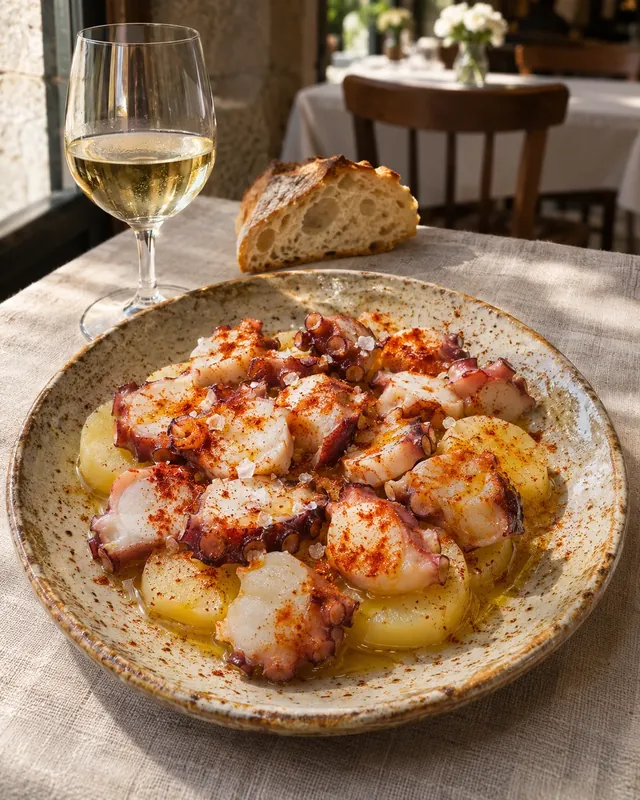
Casa Lúa This week our lunch menu travels to Galicia. Monday to Friday.
This is how your posts arrive: image, copy and date, ready to approve. The brands on this page are made up.
Prepare and schedule content for
How it works
We show it with Alba Flores, a made-up business. Real screens, example data.
Tell Iris how your brand speaks, who it talks to and which references it follows. Every post starts from there.

Copy and an image for each network from one idea. You adjust whatever needs it: the brand decisions stay with you.

Check the image and edit the copy in context. Approval follows the workflow you have configured.

Pick the date and the network. The post goes into the calendar for the accounts you have connected.

Publishing and approval depend on your setup and on the accounts you connect.
What it does
Copy in your brand voice, adapted to each network.
Generated images or your own gallery photos to go with each post.
Video pieces from an idea, depending on the configured provider.
Review, approve and schedule on the accounts you connect.
Turn a goal into a campaign with a message and a calendar.
See what worked, with the data each network provides.
For agencies
Every client has a different voice, audience and brief. In Iris each one has a workspace with its brand context, its content and its calendar.
Return to the client's workspace with its references and brand context.
Prepare copy and image proposals, then refine what represents the client.
Review the content and organize publication within the same product.
Access and pricing
Brand workspace, content creation, review and calendar. We guide you through setup.
How many brands you run, which networks you connect and how much content you need.
A demo with your brand, a proposal with scope and price, and access to your workspace.
Before we talk
Yes. Each brand has its own workspace, with its context and campaigns. During the demo, we review access and configuration for your case.
Availability depends on connected accounts, permissions, formats and configuration. We review the available options with you before you start.
Yes. You can review proposals and edit copy before organizing publication. Always check AI-generated content.
Approval depends on your configuration. We review how you want to work during the demo; not every mode requires manual approval.
Access is private. Scope and pricing are agreed after reviewing your brands, content needs and configuration. Requesting a demo does not automatically create an account.
Tell us which brands you run, their channels, and how you prepare and review content. That gives us a concrete workflow to discuss.
Tell us which brands and networks you run. We prepare the demo around them.
Request a demo